Verify your identity
2 min read · updated 2 October 2026
Before you can edit a profile, you confirm once that you are really you. This makes sure nobody unknown writes under someone else's name. The check applies to all your profiles and is free for you.
1When you need it
We ask for it as soon as we have accepted your claim or your application. If you are on a profile's team, it depends on the team: if an admin of the profile has already confirmed their identity, the profile is unlocked for the whole team. For associations, education providers and companies, an editor is enough too. As an editor there, we therefore ask you directly as long as the profile is not unlocked yet.
2How the check works
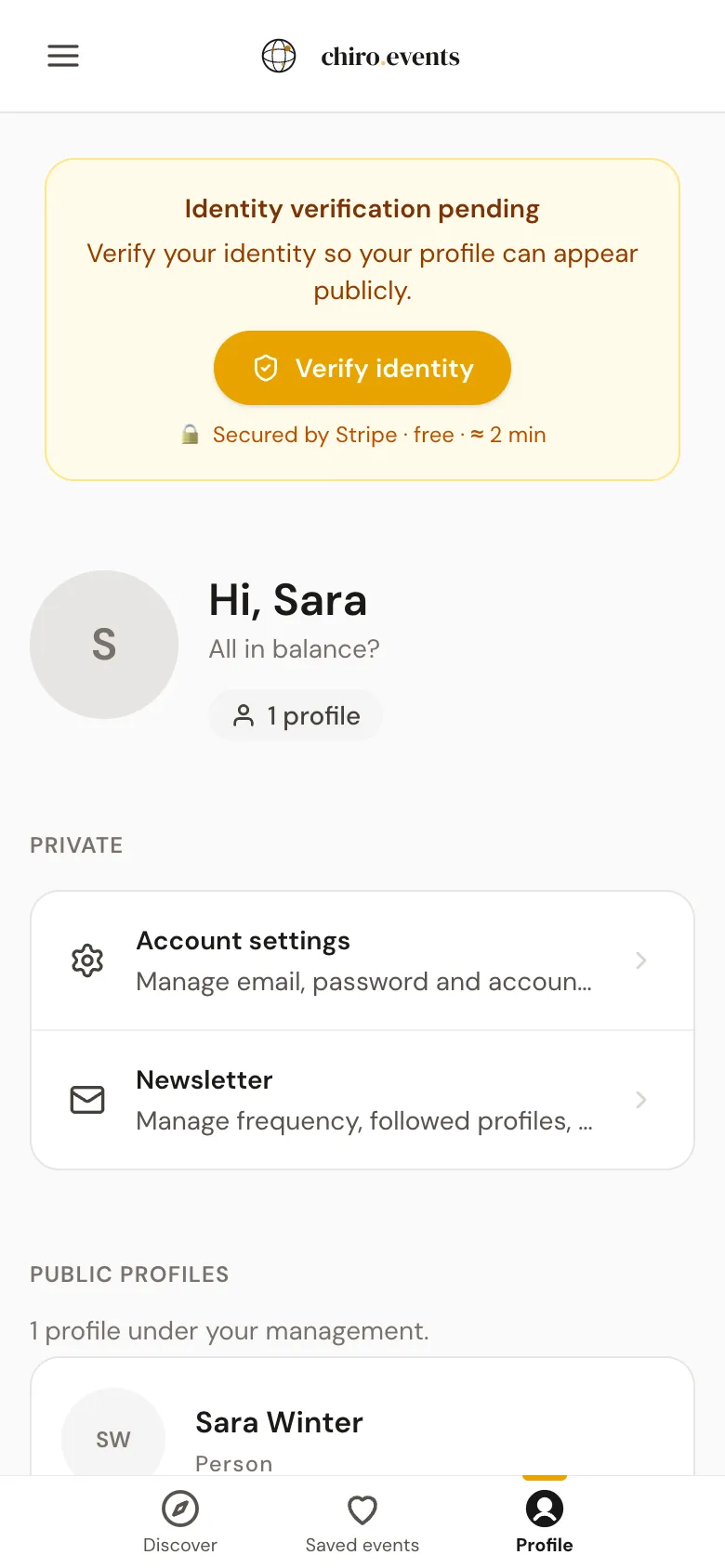
- 1On a computer, you will find Verify identity in the sidebar with the button Verify now. On your phone, you see a notice at the top with Verify identity.
- 2Tap it and then tap Verify identity. The check runs through our partner Stripe.
- 3Take a photo of your ID card or passport and a short selfie. This takes about two minutes.
Stripe checks your details and does not store any documents with us. The check is usually done within a few minutes, sometimes it takes longer. You will get an e-mail as soon as your identity is confirmed.
3If something goes wrong
If you cancelled the check, you can continue with Continue verification, and your details are kept. If it failed, for example because of a blurry photo, you start it again with Try again. You can make up to three attempts per day.