From event to registration, calendar and sharing
2 min read · updated 30 September 2026
On an event's page you find everything important: date, location, program, speakers and price. From there, one tap takes you to registration, your calendar or the directions.
1Registering
Tap Register. The organizer's page opens in a new tab. Registration and payment are handled directly by the organizer, not by chiro.events. That is why Registration is handled by the organizer appears below the price.
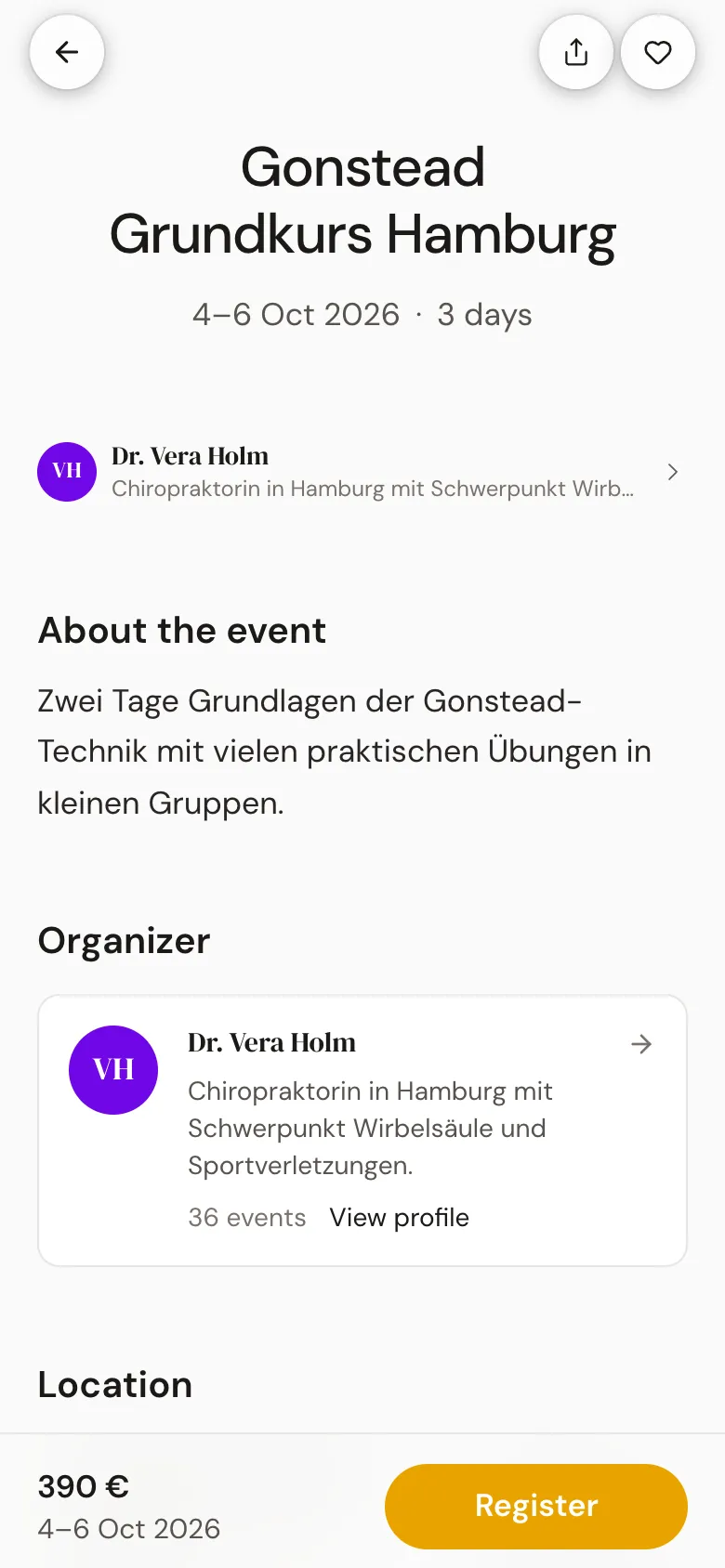
On a phone, Register is always at the bottom in a bar, together with the price and date. If the event belongs to a course with several dates, the button reads To the course page →.
2Add to your calendar
- 1Tap Calendar.
- 2Choose Google Calendar, Outlook or Apple / iCal (.ics).
- 3With Google and Outlook, a new tab opens with the finished entry. You open the .ics file with your device's calendar.
3Finding the way
Next to the address there is Directions. There you choose Apple Maps or Google Maps, and the route opens. Below the address, a link leads to all events in the same city.
4Share and save
With Share you send the event on. On a phone, your device's share menu opens. On a computer, a selection with Email and Copy link appears. With the heart at the top you save the event and get a reminder before the date.